
Independent Indian Railways information guide
Cancelled Trains: Full and Partial Lists
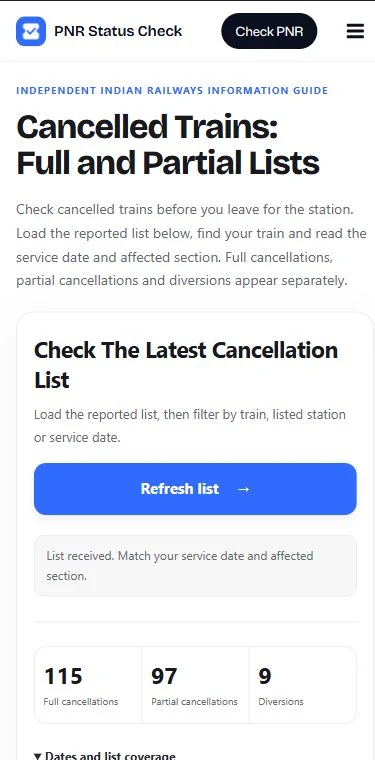
Check cancelled trains before you leave for the station. Load the reported list below, find your train and read the service date and affected section. Full cancellations, partial cancellations and diversions appear separately.
Check the latest cancellation list
Load the reported list, then filter by train, listed station or service date.
Need to verify a journey? Open the official NTES enquiry and choose Train Exception Info. This website is an independent guide, not an official railway service.
How to Check Cancelled Trains
Keep the five-digit train number from your ticket handy. You do not need to enter a PNR or passenger details to search this list.
- Load the list. Select Load latest list. A response shows the records returned by the data provider; opening this page alone does not run an enquiry.
- Find the exact service. Enter its number or name. You can also search station names and codes shown in the records. This searches listed route endpoints and affected sections, not every intermediate stop.
- Choose a change type. The initial view includes full and partial cancellations. Choose Diversions separately if the train may be taking a different route.
- Match the date. Read the reported service date on the card. The date filter narrows the returned records; it cannot request a new date or a future cancellation list.
- Read your section. For a partial cancellation, compare both affected stations with your boarding point and destination. Verify any missing or conflicting details through the railway before changing your plans.
What Each Status Means
A route change can affect one passenger while leaving another passenger’s booked section available. Read the category and station pair together.
| Status | What it tells you | What to check |
|---|---|---|
| Fully cancelled | The listed service is reported cancelled throughout its route for that service date. | Match the train number and date. Then check the applicable refund process and alternatives. |
| Partially cancelled | Only a section of the scheduled route is reported cancelled. | Read the cancelled section. Check whether the train reaches your boarding point and destination. |
| Diverted | The train is reported to use a changed route. | Check skipped stops and your journey section. A diversion is not counted as a full cancellation. |
For example, if a train normally runs from A to D but is cancelled between A and B, a passenger starting at A faces a different problem from someone boarding at C. This is an illustrative example, not a real service notice.
Check the Service Date, Especially Overnight
A train number alone does not identify one day’s service. The same train can operate on one date and be cancelled on another. Compare the date in the notice with the journey on your ticket.
Take extra care if you board after midnight or join a long-distance train at an intermediate station. Your boarding date can differ from the date the train left its first station. If the notice does not clearly identify the affected run, confirm it with the railway instead of assuming the dates match.
The tool labels dates as reported service dates. Missing or invalid dates remain marked as unavailable. It does not silently replace them with today’s date.
Does “Not Listed” Mean My Train Is Running?
No. A missing record does not confirm normal operation. A provider may return a limited snapshot, skip unknown schedules or fail to check some services. Search spelling and active filters can also hide a record.
Open Dates and list coverage to compare the scan date, provider scan time and the time this website received the response. These times describe different events. Receiving a response now does not prove that every railway record was updated now.
- No matching records: clear your filters and check the official enquiry. This applies only to the response you loaded.
- Coverage warning: read the warning before relying on the list. Even a completed scan can exclude unknown schedules.
- Enquiry error: the list was not retrieved. It is not a result saying that no services are affected.
What to Do About Cancelled Trains
First establish whether the train is fully cancelled, starts later along its route, terminates early or follows a diversion. Avoid making a new booking solely from a short status label.
- Check railway messages and the latest official notice for the exact train, service date and affected stations.
- For a partial change, confirm where you can board and where the train will terminate. Do not assume your ticket permits boarding at any replacement station.
- Use Use this train for onward checks. The running-status link carries the train number; you still choose the origin start date.
- If you need another route, use our trains between stations search, then check availability before booking. A timetable option does not guarantee a seat.
Check again close to departure when disruption affects your route. This page does not send cancellation alerts or monitor your journey in the background.
Refunds: Full Cancellation and Partial Changes
Under the IRCTC refund and cancellation rules, cancellation of a train triggers an automatic full fare refund for confirmed or RAC e-tickets to the account used for booking. For that case, online cancellation or a TDR is not required.
Do not assume the same automatic process applies to a partial cancellation, a diversion or a counter ticket. The procedure depends on what happened to your journey and the ticket type. Read the relevant official rule and any TDR requirement promptly. This tool cannot cancel tickets, file a claim or promise a refund date.
Frequently Asked Questions
Where can I check cancelled trains today?
Load the list above and inspect its reported dates and coverage. For an official check, use NTES Train Exception Info. Do not treat an older or undated response as a verified list for today.
Can I check tomorrow or another future date?
This tool fetches the provider’s available snapshot without a date request. Its date selector only filters dates already returned. Check railway notices and the official enquiry for a future journey; do not infer normal operation from an absent record.
Can I travel if my train is partially cancelled?
It depends on whether the remaining service covers your booked section. Match the cancelled stations against your boarding point and destination, then confirm with the railway. The scheduled end-to-end route alone cannot answer this.
Why is the reason missing?
A reason appears only when the provider supplies one. The tool does not guess whether weather, engineering work or another issue caused the change. Check the railway notice for an explanation.
Does a confirmed ticket mean the train will run?
No. Confirmation describes a reservation; it does not rule out a later service cancellation or diversion. For your booking details, use the PNR status checker and check operational changes separately.
Does refreshing always fetch new railway data?
No. A recent response may be reused under the site’s cache setting. The original received time stays visible. Filtering, changing pages and selecting a train work within the loaded list and do not request another snapshot.
Cancelled Trains: Before You Leave
Use this cancelled trains guide to identify a reported change, match the date and read the affected section. Verify unclear details before travelling or cancelling a ticket, and check alternatives only after you know which part of your journey is disrupted.
Data connection: RailKit. Independent information guide; not affiliated with Indian Railways or IRCTC. Instructions and official source references reviewed on 12 November 2026.